Python as an ML Calculator
Python as an ML Calculator
You have two houses. House A is size 2 and 1 bedroom: [2, 1]. House B is
[1, 3]. A buyer asks what you get if you combine their features — and in
Python, "combine" can mean two different things. This lesson makes that precise.
Every number below comes from real code you can run on this page.
The data picture: slots in a row
[2.0, 1.0] is a list: two slots side by side. In machine learning, the same
row of numbers is a feature vector — one house, described by size and bedrooms.
The list is how Python stores the slots. The vector is what those slots mean.
The rest of this lesson is about what happens when you ask Python to add them.
Names point at objects
a = [2.0, 1.0]
b = [1.0, 3.0]
a is a name for a list. No library yet — just plain Python.
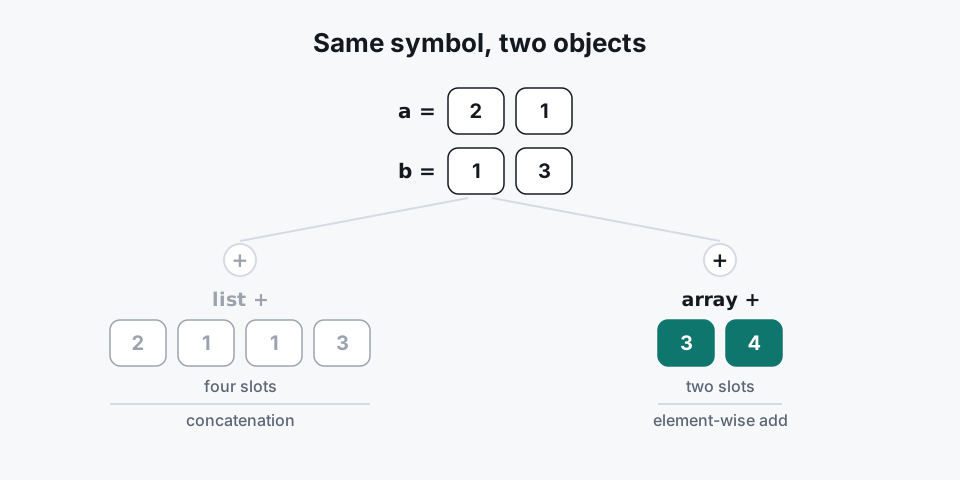
The concat trap: list + glues, it does not add
[2.0, 1.0] + [1.0, 3.0]
# → [2.0, 1.0, 1.0, 3.0]
On lists, + concatenates: it sticks the slots end to end. You get four
slots, not [3.0, 4.0]. That surprise is the most common first-day bug when
people bring Python into ML. The next section removes it.
Numpy arrays add slot by slot
import numpy as np
a = np.array([2.0, 1.0])
b = np.array([1.0, 3.0])
a + b
# → array([3., 4.])
np.array turns the list into a math vector. Now + pairs matching slots:
2+1=3, 1+3=4. Same symbol, different object, different meaning. For ML
features, this is the + you almost always want.
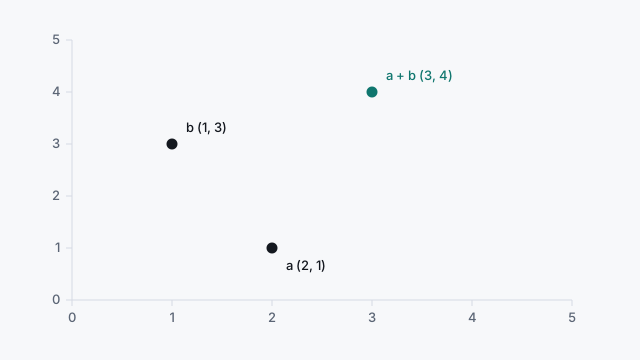
The dark dots are the two houses. The teal dot is their sum, the same teal as Run.
2 * a = [4.0, 2.0] and a · b = 5.0 stay in the practice output. They are not extra dots.
Scaling multiplies every slot
2 * a
# → array([4., 2.])
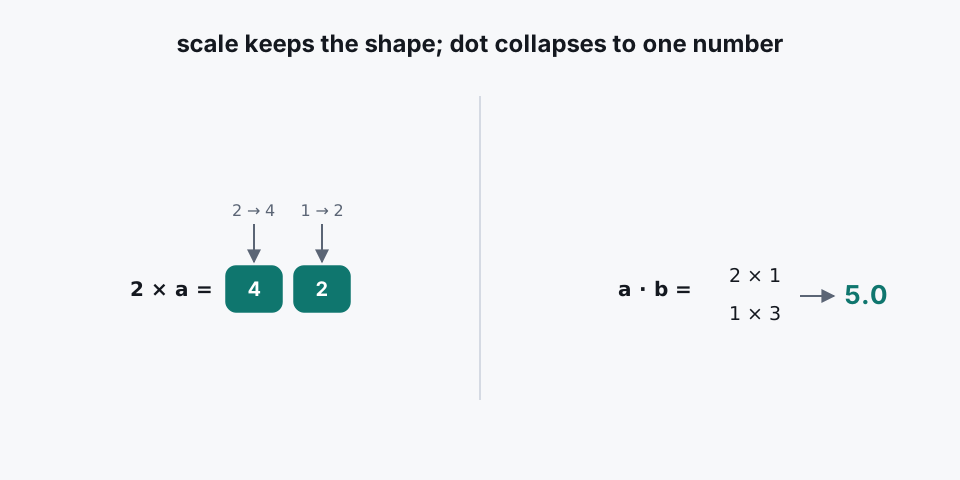
A number times a vector multiplies each component: [2×2, 2×1] = [4, 2]. Double
the house, double each feature.
The dot product turns two vectors into one number
float(a @ b)
# → 5.0
@ multiplies matching slots, then adds those products: 2×1 + 1×3 = 5.0. Two
vectors in, one number out. That number is large when the arrows point the same
way. Similarity, projection, and prediction all reuse this idea later.
Run the starter above
Open the Python practice cell on this page and run the starter. Your output must read:
a + b = [3.0, 4.0]
2 * a = [4.0, 2.0]
a . b = 5.0
All home numbers match.
The assert lines check the real answers. If a number is wrong, the cell fails
out loud. Empty output is also a failure — the cell says so honestly.
When shapes do not match
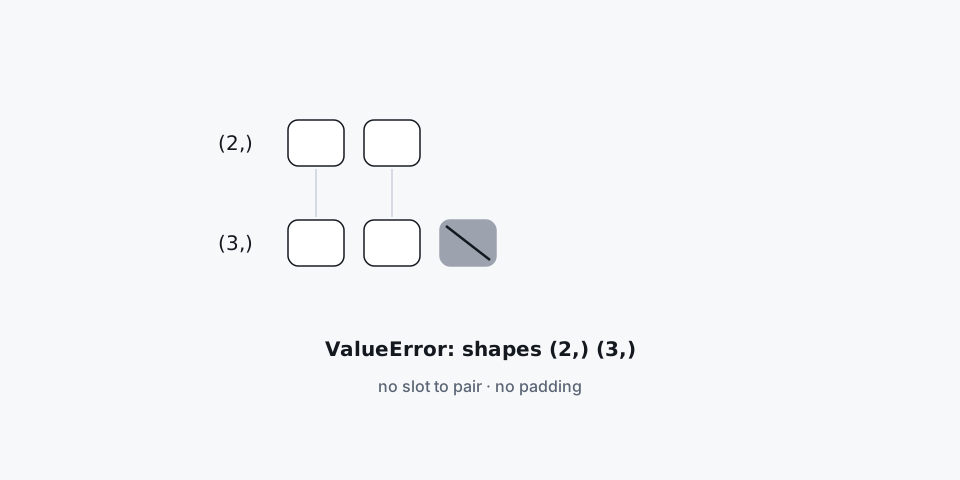
Different lengths raise; they never pad.
np.array([2.0, 1.0]) + np.array([1.0, 3.0, 0.0]) raises
ValueError: operands could not be broadcast together with shapes (2,) (3,).
Numpy will not invent a third slot for a. A fix that pads with zero is hiding
a wrong quantity — do not accept it.
Check shapes before you trust a sum. Look at a.shape first, then do the
math. A length-2 vector and a length-3 vector have no sum and no dot — the
inputs do not pair, so there is no answer to compute.
Try this (in the practice cell)
- Home check — run the starter; confirm the four printed lines above.
- Break it — try
np.array([2.0, 1.0]) + np.array([1.0, 3.0, 0.0])and read theValueError. Wrong shapes must fail, not silently succeed. - New pair — with
c = np.array([0.0, 5.0])andd = np.array([4.0, 2.0]), computec + dandfloat(c @ d). You should getc + d = [4.0, 7.0]andc · d = 10.0(0×4 + 5×2). Then try plain-Python[0, 5] + [4, 2]and confirm the four-slot concat[0, 5, 4, 2]— the same trap, on new numbers.
Next: one vector of five grades, where each slot needs its own answer (pass or fail, which letter). Adding and scaling cannot do that; Lesson 2 adds branches, loops and masks.